



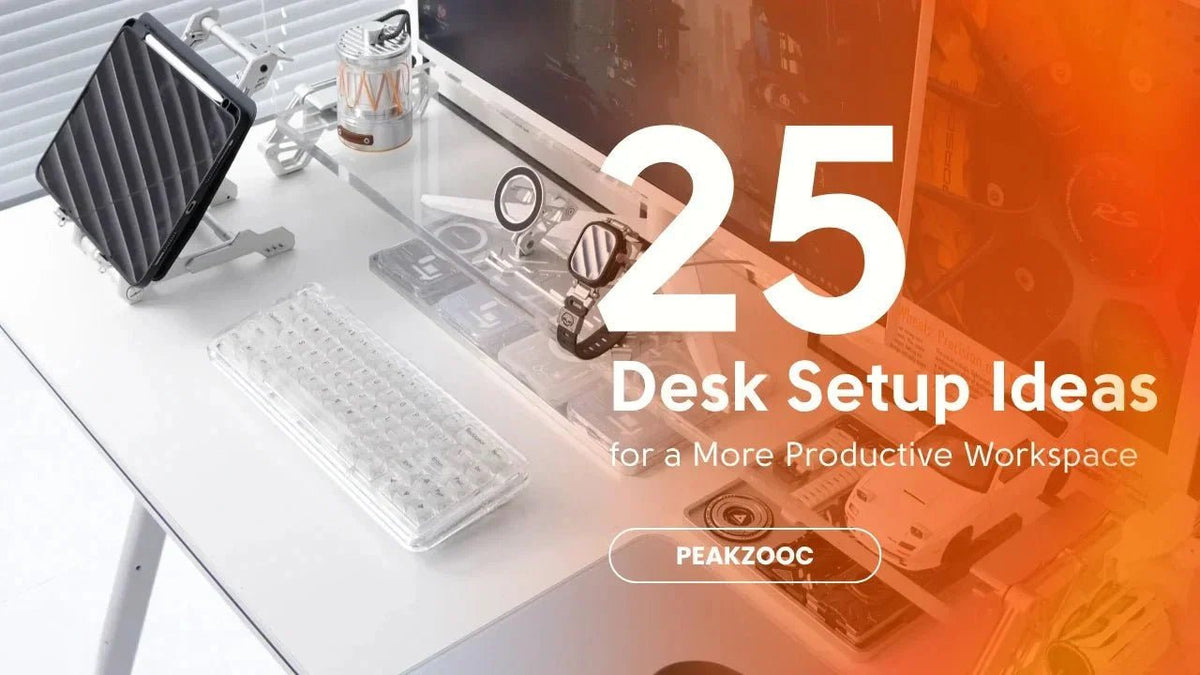
デスクをより美しく、よりすっきりと、一日中集中できるワークスペースに変えましょう。
生産性の高いワークスペースは、より多くの機器を購入することで築かれるのではなく、意図的な選択をすることで築かれます。
在宅勤務、勉強、ゲーム、コンテンツ作成など、適切なデスクセットアップは、集中力を高め、気を散らすものを減らし、デスクでの長時間をより楽しくしてくれます。
ここでは、ワークスペースを即座にアップグレードできる25のデスクセットアップのアイデアをご紹介します。
1. デスクライザーでモニターの高さを上げる
最も簡単なアップグレードの1つは、モニターの高さを上げることです。
デスクライザーは、スクリーンの位置と全体のデスク整理を改善しながら、その下にさらなる収納スペースを作り出します。
おまけ:セットアップが瞬時に構造的に見えます。

2. デスクの上には日用品だけを置く
毎日使わないものは、おそらくデスクの上に置く必要はありません。
デスクがきれいだと、頭もすっきりします。
3. 専用ゾーンを作る
デスクをセクションに分けて考えてみましょう。
- 作業ゾーン
- 充電ゾーン
- 収納ゾーン
- ディスプレイゾーン
すべてのものに場所があれば、散らかりがちなものも管理しやすくなります。
4. キーボードスタンドを使う
メカニカルキーボードは、セットアップの中で最も高価なアイテムの1つであることがよくあります。
キーボードスタンドは、それらを整理し、デスクの美観の一部に変えます。
5. ケーブルを目線から隠す
ケーブルが散らかっていると、視覚的なストレスが生じます。
ライザー、ケーブルトレイ、または簡単な配線ソリューションを使用して、配線を隠してください。
6. フォンスタンドを追加する
携帯電話をデスクに平置きする代わりに、固定位置を与えましょう。
MagSafeスタンドは、通知が見える状態を保ちながら、気を散らすものを減らすのに役立ちます。

7. 素材を合わせる
最もクリーンなセットアップは、一貫した素材の言語を共有しています。
- アルミニウム
- ブラックメタル
- マット仕上げ
一貫性はプレミアムな外観を生み出します。
8. 垂直空間を利用する
あなたのデスクには、あなたが思っているよりも多くの使用可能なスペースがあります。
棚、モニタースタンド、およびスタンドは、外側ではなく上向きに整理することを可能にします。
9. 照明をアップグレードする
良い照明はすべてを変えます。
考慮すべき点:
- モニターライトバー
- デスクランプ
- アンビエントLED照明
あなたの目は感謝するでしょう。
10. より大きなデスクマットを選ぶ
デスクマットは、セットアップを視覚的に統一し、デスク表面を保護します。
また、デバイス間の境界をより明確にします。
11. 重複するアイテムを削除する
本当にデスクの上に充電器3つ、ノート4冊、ペン5本が必要ですか?
おそらくそうではありません。
12. センターピースを中心に構築する
多くの素晴らしいセットアップには視覚的なアンカーがあります。
- ウルトラワイドモニター
- メカニカルキーボード
- 金属製モニターライザー
その他すべてがそれをサポートします。
13. よく使うツールは手の届くところに置く
日常的に使う道具を主要な作業エリアの近くに置くことで、不必要な動きを減らします。
14. キーボードを縦に収納する
キーボード愛好家にとって、垂直収納はスペースを節約し、よりすっきりとしたディスプレイを作成します。
15. ニュートラルなカラーパレットを使用する
黒、銀、グレー、白は、トレンドを追った色よりも長く使えます。
控えめな色は、気が散りにくいことが多いです。
16. EDCコーナーを作る
以下のために小さなエリアを確保してください。
- 財布
- 時計
- 鍵
- ポケットナイフ
- イヤホン
これにより、ランダムなアイテムがデスク中に散らばるのを防ぎます。

17. モニターの高さを改善する
長時間作業する際には、首の負担を軽減するために、画面が目の高さに近い位置にあるべきです。
18. ささやかな個人的なタッチを加える
セットアップは無菌に感じられるべきではありません。
植物、写真、収集品は、散らかりを招くことなく個性を加えることができます。
19. モジュラーアクセサリーを使う
モジュラー製品は、セットアップの進化に合わせて適応します。
この柔軟性により、時間の経過とともに費用を節約できることがよくあります。
20. モニター下のスペースを整理整頓する
モニターの下のスペースは、しばしば十分に活用されていません。
キーボード、ノート、日常のアクセサリーなどに活用しましょう。
21. 一度に一つずつアップグレードする
最高のセットアップは徐々に構築されます。
別のアクセサリーを購入する前に、一つの問題を解決することに焦点を当ててください。
22. 充電ステーションを作る
充電ケーブルを一元化することで、デスクが絡まった状態になるのを防ぎます。
23. 視覚的なノイズを減らす
すべての物があなたの注意を引こうと競い合っています。
不要なものが少なければ少ないほど、集中しやすくなります。
24. トレンドよりも機能を優先する
ソーシャルメディアのセットアップは素晴らしい見た目です。
しかし、最高のセットアップとは、あなたのワークフローをサポートするものです。
常に機能から始めましょう。
25. コレクションではなくシステムを構築する
最も生産性の高いデスクは、ランダムなアクセサリーで埋め尽くされているわけではありません。
すべてのアイテムに目的があるシステムを中心に構築されています。
だからこそ、モニターライザー、キーボードスタンド、フォンスタンドはうまく連携し、構造を生み出します。
最終的な考察
生産性の高いワークスペースは、完璧さを追求するものではありません。
それは摩擦を減らすことです。
少しずつ始めましょう。
- モニターの高さを上げる
- キーボードを整理する
- ケーブルを管理する
- すべてのデバイスに定位置を与える
時間をかけて、これらの小さな改善が、より使いやすく、より維持しやすく、そして過ごす時間がはるかに楽しくなるワークスペースを作り出します。
より良いデスクは、単に清潔に見えるだけではありません。
それはあなたがより良く働くのに役立ちます。


