



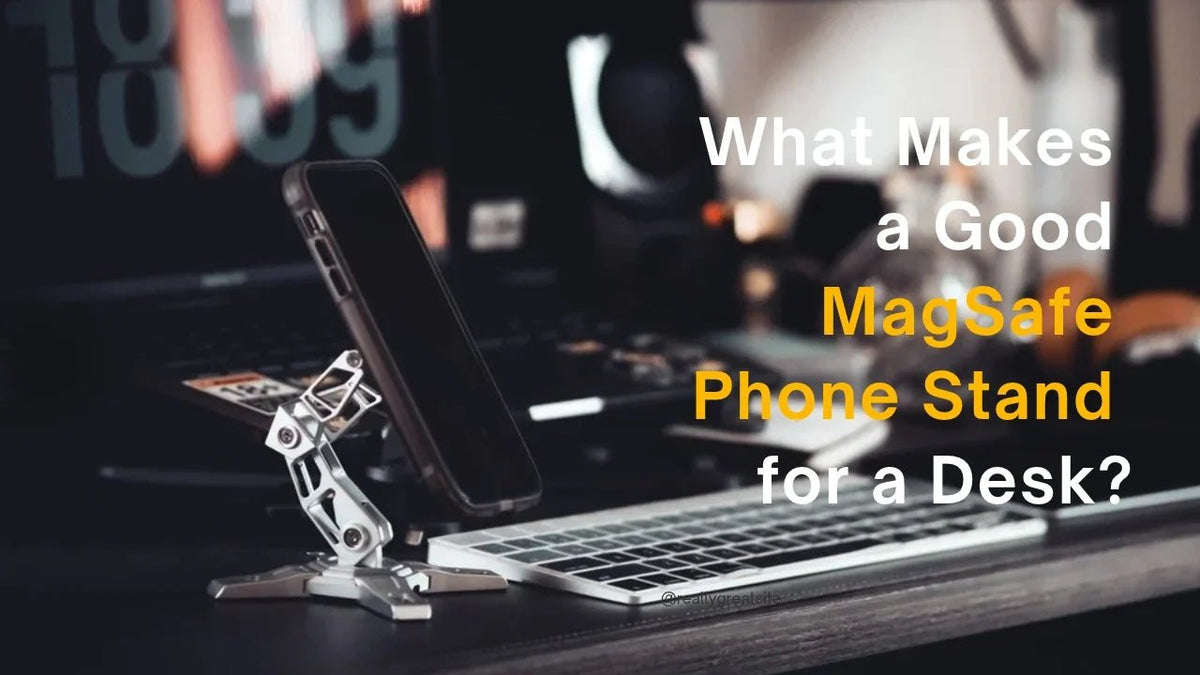
A good desk accessory doesn't need to do everything. Sometimes, it just needs to do one thing well.
That's exactly the question behind a Reddit discussion in r/MagSafe. A user looking for a desktop MagSafe stand for an iPhone 14 Pro Max wasn't interested in a complicated multi-device charging station. They wanted something simple: a stand that could hold their phone securely, fit their device, and look good on a desk.
It's a surprisingly useful way to think about choosing a MagSafe phone stand.
With so many options available, it's easy to get caught up in charging speeds, extra features, and complicated specifications. But if your phone spends hours beside your laptop or monitor, the fundamentals may matter more: magnetic hold, stability, adjustability, and design.
So, what actually makes a good MagSafe phone stand for a desk?

1. Start With What You Really Need
Before choosing a phone stand, ask yourself a simple question: What do you want your phone to do while it's on your desk?
Maybe you want to see incoming notifications without picking up your phone. Maybe you take frequent video calls, keep music controls within reach, or use your iPhone as a secondary screen while working.
Or perhaps you simply want your phone to have a proper place instead of lying flat beside your keyboard.
These are different reasons to buy a stand, but they share one requirement: the phone needs to stay accessible without becoming another source of desk clutter.
A dedicated MagSafe phone stand can give your device a defined place in your workspace. Rather than adding more electronics to your desk, it makes the phone you already own easier to use.
And if you don't need wireless charging, there's no reason to make it a deciding factor.

2. Magnetic Hold: Secure Without the Hassle
The first thing to consider is how securely the stand holds your phone.
MagSafe-compatible stands use magnetic alignment to attach compatible iPhones and cases. A good magnetic connection makes attaching and removing your phone straightforward, while helping it stay in position during everyday use.
This matters more when you're using a larger phone, such as an iPhone Pro Max, or frequently switching between portrait and landscape orientations.
Before buying, check three things:
-
Device compatibility: Make sure your phone supports MagSafe or that your case provides a compatible magnetic connection.
-
Case compatibility: A MagSafe-compatible case is generally the simplest option. For other devices or cases, check whether a magnetic adapter ring is supported and how it should be installed.
-
Everyday handling: Consider whether you can attach and remove your phone conveniently without repeatedly repositioning the stand.
Magnetic strength is only part of the equation. The stand's base and joints also need to support the phone's weight.

3. Stability Matters More Than You Might Expect
A phone stand can look impressive in a product photo, but the real test happens on your desk.
You might tap a notification, answer a call, switch between apps, or adjust the screen while working. If the stand tips over, shifts around, or struggles to maintain its position, even a strong magnetic connection won't make the experience feel secure.
Look for a design with a stable base, a well-supported adjustable arm, and contact surfaces that help prevent unwanted movement.
The shape and weight distribution of the base matter, too. A broad footprint can provide a more secure foundation, while non-slip pads can help keep the stand in place on a suitable desktop surface.
For anyone using a large iPhone, these details deserve particular attention.
The goal isn't simply to keep your phone attached to a magnet. It's to create a stable setup that feels dependable during normal daily use.

4. Adjustability Turns a Phone Stand Into a More Useful Tool
Your phone doesn't always need to face the same direction.
During a video call, portrait orientation may be more convenient. When watching a video, following a tutorial, or keeping an eye on a landscape dashboard, horizontal positioning may make more sense.
An adjustable phone stand gives you more freedom to position your screen according to the task.
A multi-joint arm can also help you change the viewing angle and height without moving your laptop, monitor, or keyboard around the desk.
When comparing stands, consider:
-
How easily can you adjust the viewing angle?
-
Can the phone be positioned in both portrait and landscape orientations?
-
Do the joints hold their position after adjustment?
-
Can you bring the screen closer or move it out of the way when needed?
Smooth adjustment is especially useful when the phone serves different purposes throughout the day.
Instead of forcing your workflow to fit a fixed stand, you can position your phone to fit your workflow.

5. Do You Actually Need a MagSafe Charging Stand?
Not everyone needs a phone stand that charges.
A charging stand may be the right choice if you want to power your phone while it's mounted. But if your main priority is keeping your device visible, accessible, and securely positioned, a non-charging stand can be a perfectly reasonable option.
A dedicated mechanical stand also keeps its purpose straightforward: holding your phone at a useful angle.
You can continue using your preferred charging cable when you need power, without making built-in wireless charging a requirement for your desk accessory.
There's one important distinction, though: a non-charging stand does not provide wireless charging or eliminate the need for a charging cable. If charging while mounted is essential to your routine, make sure you choose a product designed for that purpose.
For users who value structure, adjustability, and appearance over an all-in-one charging station, a dedicated phone stand may be the more suitable choice.

6. Looks Matter, Too — Especially on Your Desk
A desk setup is a collection of objects you see and interact with every day.
Your monitor, keyboard, mouse, lighting, and phone all contribute to the overall look. A stand that feels out of place can interrupt an otherwise well-organized workspace.
This is where material and construction become part of the buying decision.
CNC aluminum offers a precise metallic finish and a technical appearance that pairs naturally with aluminum laptop stands, mechanical keyboards, and other desk accessories.
A mechanical, articulated-arm design can also bring a different character to the setup. Instead of hiding your phone holder in the background, it becomes a functional piece of desk hardware.
For a minimalist workspace, a silver or black finish may blend into the surrounding equipment. For a more expressive setup, colors such as purple, red, or pink can add a deliberate accent.
Good design doesn't mean choosing the most complicated product. It means finding something that works well and looks like it belongs where you use it.
7. The Peakzooc MagSafe Phone Stand: A Mechanical Stand Built for Everyday Use

If you're looking for a MagSafe phone stand that prioritizes physical design over built-in charging, the Peakzooc MagSafe Phone Stand is worth considering.
Its CNC aluminum construction, articulated multi-joint arm, and wide X-shaped base bring together the features that matter in a dedicated desktop stand.
A Stand With a Purpose
The Peakzooc MagSafe Phone Stand is designed to hold your phone, not charge it. There is no built-in wireless charging system, so you'll still need your own charging cable when your phone needs power.
That distinction makes the product particularly relevant for people who want a dedicated phone holder without paying for charging functionality they may not use.
Flexible Positioning for Daily Tasks
The multi-joint arm allows you to adjust the position of your phone for different viewing needs.
Keep your screen visible beside your monitor during work, switch to a more convenient position for a video call, or rotate the phone between portrait and landscape orientations for different types of content.
The adjustable structure makes it easier to incorporate your phone into your workspace without treating it as an afterthought.
A More Technical Desktop Aesthetic
Made from CNC-machined aluminum, the stand features a mechanical silhouette that feels at home alongside modern desk gear.
The wide X-shaped base provides a foundation for desktop use, while the available color options let you choose a finish that suits your setup.
It's a practical accessory for people who care about both the function and appearance of the objects on their desk.
Explore the Peakzooc MagSafe Phone Stand to see its available colors and product details.
8. Peakzooc MagSafe Phone Stand vs. Swivel MagSafe Stand: What's the Difference?
Peakzooc offers another option for users who want a similar mechanical design with an additional movement feature: the Swivel MagSafe Stand.
The key difference is the base.
The standard Peakzooc MagSafe Phone Stand has a fixed base, while the Swivel MagSafe Stand features a 360-degree rotating base. This lets you turn the mounted phone's position without having to pick up and reposition the entire base.
Both designs focus on holding your phone securely and providing adjustable viewing angles. The rotating base simply adds another way to change how your phone is oriented on the desk.
Choose the standard MagSafe Phone Stand if:
-
You want a dedicated stand with a fixed base.
-
You generally keep your phone in one area of your desk.
-
You prefer a straightforward setup with an articulated arm.
-
You don't need to rotate the entire stand frequently.
Choose the Swivel MagSafe Stand if:
-
You regularly turn your phone toward different positions.
-
You share your screen with someone sitting nearby.
-
You switch between viewing directions throughout the day.
-
You want the added convenience of a 360-degree rotating base.
Neither design is automatically better for everyone. If you rarely change the direction of your phone, the standard model may be all you need. If you often reposition your phone while keeping the stand in place, the rotating base may be worth the difference.
Compare both options here:
9. A Quick Checklist Before You Buy
Before choosing a desktop MagSafe phone stand, run through this simple checklist:
Magnetic compatibility: Does it work with your phone and case?
Stability: Can the base and arm support your phone securely during everyday use?
Adjustability: Can you position the screen for calls, notifications, and media?
Design: Does the stand fit the look and layout of your desk?
Charging needs: Do you need built-in charging, or is a dedicated mechanical stand enough?
Base movement: Would a fixed base work for you, or would a rotating base make everyday use more convenient?
These questions can help narrow down the options without getting lost in an endless list of specifications.
Final Thoughts: The Best Phone Stand Is the One That Fits Your Routine
A good MagSafe phone stand doesn't need to be a charging station, a storage hub, and a collection of extra features all at once.
For many desk users, the essentials are simpler: a secure magnetic connection, a stable foundation, useful adjustment, and a design that complements the workspace.
That's the thinking behind the Peakzooc MagSafe Phone Stand and its rotating-base counterpart. Both offer a mechanical approach to phone positioning, with the choice coming down to whether you prefer a fixed base or the added freedom of 360-degree rotation.
If you want a dedicated place for your phone without adding another charging device to your desk, start by comparing the two designs and choosing the one that best matches your daily routine.
Explore the Peakzooc MagSafe Phone Stand or the Peakzooc Swivel MagSafe Stand to find the right fit for your desk.


