



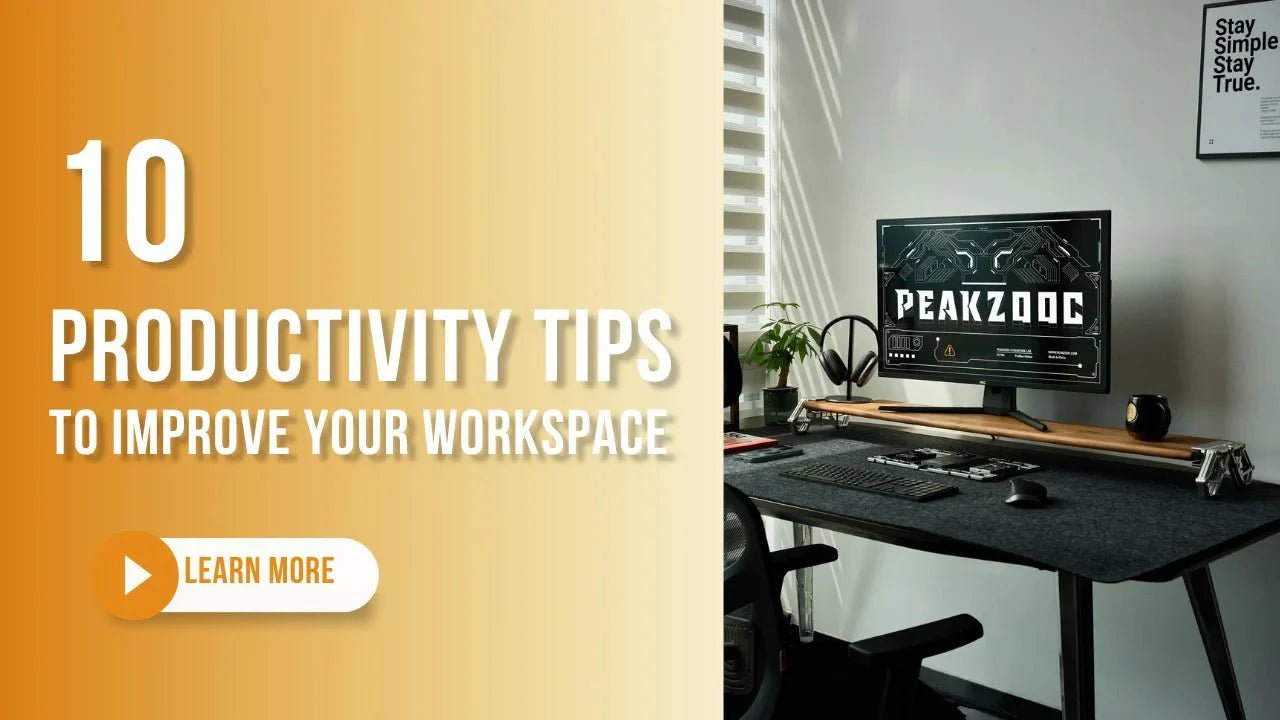
コマンドセンターの心理学:セットアップが成功を左右する理由
生産性とは、より長く働くことではありません。思考プロセスから摩擦を取り除く環境を設計することです。 r/DeskSetupのようなコミュニティで見られる高性能セットアップからインスピレーションを得て、私たちは世界クラスのクリエイターの習慣を分析し、彼らがどのように「フロー状態」を維持しているかを理解しました。 新しいプロジェクトを構築している場合でも、複雑なワークフローを管理している場合でも、デジタルコマンドセンターをマスターするための10の生産性向上ヒントをご紹介します。
1. 「目の高さ」の原則
-
人間工学は生産性の静かな推進力です。
-
モニターの上部3分の1を目の高さに配置することで、ディープワークセッションを妨げる慢性的な首の痛みを防ぎます。
-
頑丈なモニターライザーを使用すると、視界が高くなり、同時に画面下の「デッドスペース」を日常のツールに活用できます。

2. 「摩擦のない」ドッキングを実装する
-
電話の通知を確認するための絶え間ないコンテキスト切り替えは、精神的な疲労を引き起こします。
-
専用のマウントを使用して、デバイスを手に取ることなく視界内に保ちます。
-
弊社のMagSafeスタンドは、N52ネオジム磁石を利用しており、片手でしっかり装着でき、スマートフォンを専用ハブに変身させます。

3. 「触覚的な武器」を厳選する
-
メカニカルキーボード愛好家にとって、キーを押す感触は思考の流れと密接に関連しています。
-
メインの「究極の」ボードをマットの上に置き、代替品を垂直に積み重ねてデスクのスペースを確保しましょう。
-
CNC加工されたキーボードスタンドを使えば、コーディング、ゲーム、執筆など、用途に応じてプロのツールを「ホットスワップ」できます。

4. 「意図のゾーン」を設定する
-
デジタルタスクとアナログタスクのために、デスクの特定の領域を定義します。
-
高品質のデスクマットは、主要な作業領域を明確にし、マウスの動きをガイドするのに役立ちます。
-
6063航空宇宙アルミニウム製のギアを表面の傷から保護するには、きちんと整理されたマットから始めましょう。
5. 10分間の「デイリーストレッチ」
-
高性能なオペレーターは、集中力を維持するために身体的なリセットが必要です。
-
毎日10分間のストレッチルーティンを行うことで、長時間の作業中の姿勢をリセットするのに役立ちます。
6. 熱性能を最適化する
-
デバイスは、特に長時間のビデオ通話中に過熱するとパフォーマンスが低下します。
-
固体アルミニウムブロックから機械加工されたスタンドは、デバイスを冷却する自然なヒートシンクとして機能します。
7. モジュール式EDC統合
-
到着時にエブリデイキャリー(EDC)の必需品をデスクに散らばらせないでください。
-
金属製MagSafeウォレットをスタンドやライザーに直接装着することで、必需品を整理し、すぐに手に取れる状態に保てます。
8. 「ケーブルタコ」を制御する
-
ケーブルによる視覚的な乱雑さは、直接的な精神的な乱雑さにつながります。
-
モニターの後ろに隠したり、デスクの端に沿って配線したり、シンプルなクリップを使用したりしましょう。数分間のケーブル管理で、ワークスペース全体の雰囲気が変わります。
9. 「アナログ」ブレイクを導入する
-
デジタルではない「集中オブジェクト」を導入して、目に視覚的な休息点を与えましょう。
-
適切に配置された植物やCNC加工されたライトキューブは、ブルーライトの過剰な刺激を和らげるのに役立ちます。

「一生もの」のハードウェアに投資する
-
もろいプラスチック製アクセサリーは、必然的に故障したときに「交換の手間」を人生に追加します。
-
三角構造スタンドやビーズブラスト仕上げのライザーのような機器は、長期的な耐久性のために設計されています。
コマンドセンターのワークスペースを取り戻しましょう
生産性とは、障害物を取り除くことです。工業グレードのエンジニアリングを日常のセットアップに統合することで、デスクを整理するだけでなく、生産性を向上させているのです。
Peakzoocデスクシステムを探索する


